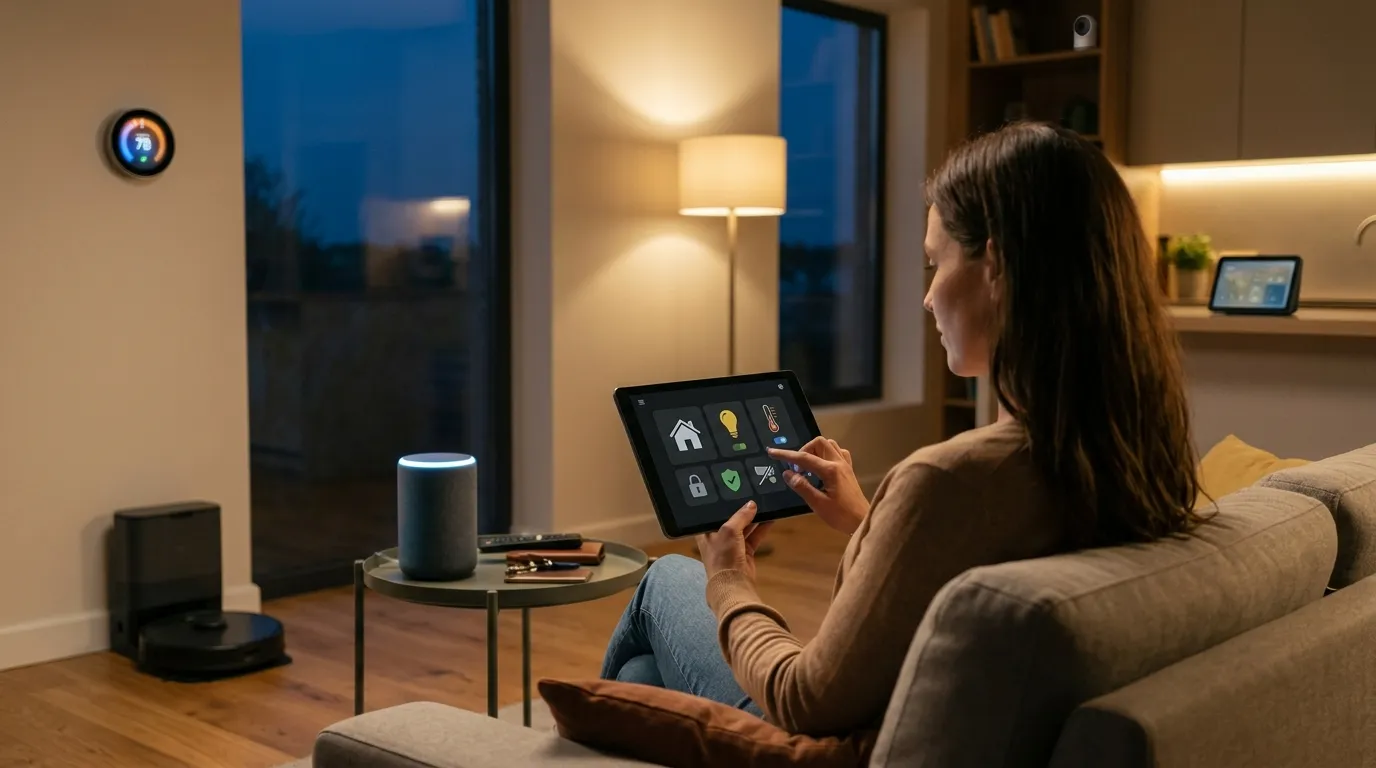
Smart home technology has transformed how people manage their living spaces. From automated lighting and intelligent thermostats to connected security cameras and voice-controlled assistants, modern devices provide practical ways to improve household convenience, monitor energy consumption, and streamline daily routines. As internet-connected products become more accessible, smart home systems have moved beyond luxury properties to become common fixtures in everyday households.
However, building a connected home involves more than purchasing hardware. Understanding technical compatibility, installation requirements, privacy policies, cybersecurity risks, and ongoing costs is essential for making informed decisions. This guide explores the primary categories of smart home devices, their practical benefits, and the key considerations involved in maintaining a secure, efficient connected home.
Understanding Smart Home Technology
Smart home technology refers to electronic devices and household systems that connect to the internet or communicate over local wireless networks. These products allow users to control appliances, monitor indoor conditions, and automate routines via smartphone applications, voice commands, or preset schedules.
Depending on the product, devices communicate using protocols such as Wi-Fi, Bluetooth, Zigbee, or Thread. Some products operate independently through a manufacturer's app, while others connect through a central smart home hub or unified ecosystem. The core objective of smart home technology is to simplify household management by allowing compatible devices to respond automatically to user preferences, schedules, and environmental changes.
Common Types of Smart Home Devices
Smart home products span several core household functions, from lighting and climate control to physical security and kitchen appliances:
- Smart Lighting Systems: Allow users to control bulbs, switches, and fixtures remotely or via voice commands. Common features include dimming, automated schedules, motion activation, and color-temperature adjustments tailored to the time of day.
- Smart Thermostats: Regulate heating and cooling systems remotely while offering programmable schedules, occupancy detection, and energy usage reports to help reduce unnecessary heating or cooling.
- Smart Security Systems: Include video doorbells, indoor and outdoor surveillance cameras, motion sensors, smart locks, and alarm panels. Users can receive real-time activity alerts, view live video feeds, and lock or unlock doors remotely.
- Smart Speakers and Voice Assistants: Serve as voice-activated interfaces that answer questions, set timers, play media, and trigger automated routines across multiple connected devices with a single command.
- Smart Kitchen Appliances: Connected refrigerators, ovens, coffee makers, and dishwashers offer remote status monitoring, cycle notifications, and maintenance alerts through companion apps.
Key Benefits of Smart Home Technology
When selected and configured appropriately, smart home systems offer several practical advantages:
- Convenience and Automation: Automated lighting, climate schedules, and appliance routines reduce repetitive manual tasks.
- Energy Management: Smart thermostats, automated lighting, and plug-in energy monitors help track electricity usage and cut down on wasted energy.
- Remote Access: Mobile apps allow homeowners to check locks, view cameras, and adjust indoor temperatures while away from home.
- Security Monitoring: Connected cameras, entry sensors, and smart locks provide real-time awareness of perimeter activity and unusual events.
- Accessibility: Voice controls and automated routines make operating lights, locks, and appliances easier for older adults and individuals with limited mobility.
Practical Guidance: Choosing Smart Home Devices
Key Factors to Evaluate Before Buying
- Define Specific Needs: Start with a clear goal—such as reducing heating costs with a smart thermostat or monitoring front-door deliveries with a video doorbell—rather than buying devices without a clear use case.
- Verify Ecosystem Compatibility: Not all products work across every platform. Confirm compatibility with your smartphone operating system and preferred smart home platform (such as Apple Home, Google Home, or Amazon Alexa).
- Check Network and Hub Requirements: Ensure your home Wi-Fi covers the intended installation areas, and verify whether a device requires a dedicated bridge or central hub to function.
- Review Security Practices: Prioritize manufacturers that provide regular firmware updates, encrypted data transmission, and two-factor authentication (2FA).
- Calculate Total Ownership Costs: Factor in installation expenses, replacement batteries, and optional monthly subscriptions for cloud video storage or advanced app features.
Smart Home Connectivity Standards
| Protocol | Primary Use Case | Key Characteristics |
|---|---|---|
| Wi-Fi | Cameras, smart TVs, speakers, and major appliances. | High bandwidth and direct router connection, though higher power consumption. |
| Bluetooth | Initial device setup, smart locks, and close-range sensors. | Low power consumption with short communication range. |
| Zigbee | Smart bulbs, motion sensors, and contact sensors. | Low-power mesh network that extends range across devices; typically requires a hub. |
| Thread | Modern sensors, smart locks, and lighting controls. | Low-power, self-healing mesh protocol built specifically for Internet of Things (IoT) devices. |
| Matter | Cross-platform interoperability across major brands. | Universal connectivity standard allowing compatible devices to work across different smart home ecosystems. |
Privacy and Cybersecurity Considerations
Introducing internet-connected microphones, cameras, and sensors into private living spaces requires careful attention to data handling and network security.
Understanding Data Collection
Smart devices collect varying levels of household data: voice assistants process audio commands, cameras record video feeds, and thermostats track occupancy patterns. Some information is processed locally on the device, while other data is transmitted to cloud servers. Reviewing manufacturer privacy policies and in-app data settings helps clarify what information is stored and whether it is shared with third parties.
Protecting Your Smart Home Network
- Use Strong, Unique Passwords: Create distinct passwords for every device account using a password manager.
- Enable Two-Factor Authentication (2FA): Add an extra verification step to prevent unauthorized logins.
- Install Firmware Updates Promptly: Keep device software and router firmware up to date to patch known security vulnerabilities.
- Secure Your Home Router: Change default administrator credentials, enable WPA3 (or WPA2) encryption, and consider placing smart devices on a separate guest or IoT Wi-Fi network.
Managing Cameras and Voice Assistants
Place indoor cameras thoughtfully to avoid capturing private living areas, and use physical camera shutters or microphone mute buttons when privacy is desired. Before selling, donating, or discarding any connected device, perform a full factory reset and unlink it from your account to erase stored data.
Long-Term Maintenance and Ownership Costs
A connected home requires periodic upkeep to remain reliable and secure:
- Routine Maintenance: Battery-powered sensors and smart locks need periodic battery replacements, and software updates or router changes occasionally require re-pairing devices.
- Software Lifecycles: Older smart devices may eventually reach the end of manufacturer support, losing security patches or cloud compatibility.
- Recurring Subscriptions: Many video doorbells, security cameras, and smart appliances lock cloud recording history, person-detection alerts, or advanced diagnostics behind monthly or annual fees. Evaluating subscription requirements upfront prevents unexpected ongoing costs.
Frequently Asked Questions (FAQ)
Do smart home devices always require Wi-Fi? No. Many sensors, bulbs, and locks communicate locally via Zigbee, Thread, or Bluetooth. However, an internet connection is generally required for remote smartphone access, voice assistant processing, and cloud notifications.
Can smart home devices from different brands work together? Yes, provided they support a shared ecosystem (such as Apple Home, Google Home, or Amazon Alexa) or adhere to the Matter interoperability standard. Always check product packaging for explicit platform compatibility before purchasing.
Are smart home devices safe to use? Smart devices can be used safely when properly configured, though any internet-connected product carries potential cybersecurity risks. Securing your home router, enabling two-factor authentication, and installing regular firmware updates significantly reduce exposure to unauthorized access.
Can smart home technology lower electricity bills? Smart thermostats, automated lighting schedules, and energy monitors can help reduce wasted electricity and heating fuel. Actual savings depend on local energy rates, home insulation, climate, and how consistently automation features are configured.
What is the simplest way to start building a smart home? Begin with one or two practical, standalone devices—such as smart light bulbs or a smart thermostat—to become familiar with app controls and scheduling before expanding into multi-device hubs or security systems.
Conclusion
Smart home technology offers meaningful improvements in everyday convenience, energy efficiency, home security, and accessibility. However, building a reliable connected home requires balancing hardware capabilities against ecosystem compatibility, cybersecurity safeguards, data privacy, and recurring subscription costs. By starting with clear household needs and maintaining strong network security habits, users can integrate smart devices safely and effectively into daily life.
Sources & Further Reference
- National Institute of Standards and Technology (NIST) – Profile of the IoT Core Baseline for Consumer IoT Products
- Connectivity Standards Alliance – Matter Interoperability Standard
- UK Department for Science, Innovation and Technology – Code of Practice for Consumer IoT Security
- National Institute of Standards and Technology (NIST) – Smart Home Consumers' Privacy and Security Perceptions & Practices
- U.S. Environmental Protection Agency (ENERGY STAR) – Smart Home Energy Management Systems
Disclaimer: This article is intended for general educational and informational purposes only and does not constitute professional cybersecurity, legal, or electrical advice. Device features, compatibility standards, privacy policies, and security requirements vary by manufacturer and may change over time.